Lightning: Testnet Wallet0.2.6
Publisher Description

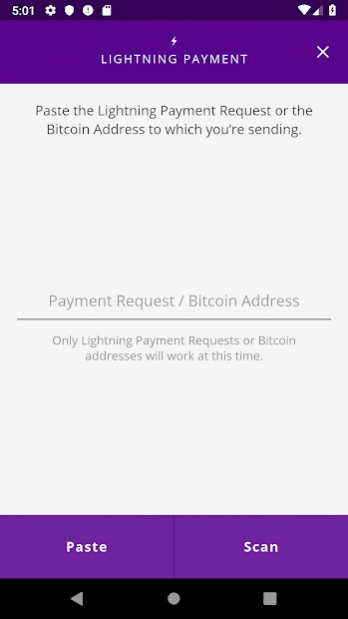


This is an alpha release of the Lightning App running on Bitcoin testnet. To try the release, just do the following:
1. Install the app and follow the setup instructions.
2. Head on over to a faucet and fund your wallet with testnet BTC: https://testnet.coinfaucet.eu/en/
3. Wait a few minutes for the wallet to sync. Once completed, the app will open payment channels automatically. The funding transactions need to confirm just like regular on-chain transactions.
4. Go to a site that supports Lightning like Yalls and buy something: https://testnet.yalls.org
That’s it!
General usability feedback is greatly appreciated. For a list of known bugs see: https://github.com/lightninglabs/lightning-app/issues
If you find a bug, please check if a GitHub issue already exists. Otherwise feel free to open a new one. Screenshots of the logs screen or the bug in action are very helpful.
Thanks :)
About Lightning: Testnet Wallet
The company that develops Lightning: Testnet Wallet is Lightning Labs Inc.. The latest version released by its developer is 0.2.6.
To install Lightning: Testnet Wallet on your Android device, just click the green Continue To App button above to start the installation process. The app is listed on our website since 2020-02-07 and was downloaded 46 times. We have already checked if the download link is safe, however for your own protection we recommend that you scan the downloaded app with your antivirus. Your antivirus may detect the Lightning: Testnet Wallet as malware as malware if the download link to engineering.lightning.LightningApp is broken.
How to install Lightning: Testnet Wallet on your Android device:
- Click on the Continue To App button on our website. This will redirect you to Google Play.
- Once the Lightning: Testnet Wallet is shown in the Google Play listing of your Android device, you can start its download and installation. Tap on the Install button located below the search bar and to the right of the app icon.
- A pop-up window with the permissions required by Lightning: Testnet Wallet will be shown. Click on Accept to continue the process.
- Lightning: Testnet Wallet will be downloaded onto your device, displaying a progress. Once the download completes, the installation will start and you'll get a notification after the installation is finished.
Program Details
System requirements
Download information
Pricing
Version History
version 0.2.6
posted on 2020-02-07
lnd v0.8.1
version 0.2.5
posted on 2019-11-06
Release notes:
* Upgrade to lnd v0.8-beta
version 0.2.4
posted on 2019-09-23
Release notes:
* Upgrade to current lnd master
* Allow user to set fee rate when sending
* Reduce autopilot fee (target_conf=16)
version 0.2.3
posted on 2019-08-27
Release notes:
* Enable static channel backup on Android external storage
* Display invoice memo in sent lightning transaction details
* Display grpc notification error message in notification bar
* Upgrade to current lnd master
* Use neutrino.addpeer to unpin Lightning Labs btcd cluster
* Allow user to disable autopilot during setup
* Display sats by default instead of usd
version 0.2.1
posted on 2019-08-05
Release notes:
* Upgrade to lnd v0.7.1
* Add button in logs screen to export complete logs
version 0.2.0
posted on 2019-07-12
Release notes:
* Build app using bare react native (remove unused expo modules)
* Upgrade to lnd v0.7.0
* Fix empty seed when navigating to restore and then to generate new wallet
* Allow changing the PIN in settings
* Add wallet recovery with seed when locked out on PIN screen
